New
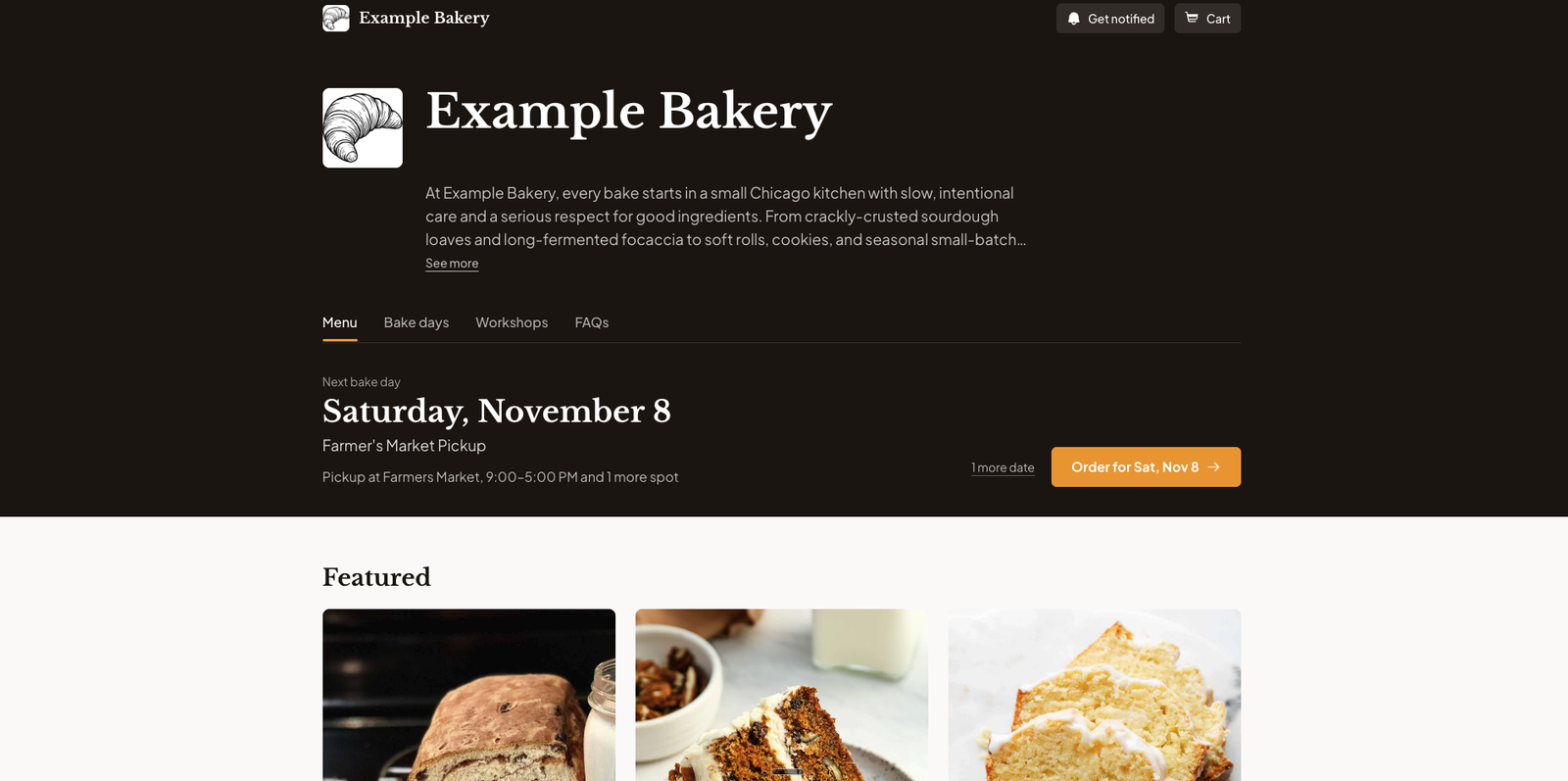
A redesigned storefront
Your shop has a new layout, with your next bake day up top, bigger photo-first product tiles, and a cleaner cart and checkout. It works better on phones too.
Your colors and fonts stay the same until you decide to change them.
Customize Shop
Start from a ready-made style, or pick your own colors, fonts, and header style, and watch a live preview of your shop as you go. You'll get a heads-up if a color combination is hard to read.
Find it in Customize Shop
A faster bake day setup
Creating a bake day now takes three short steps right on the Bake Days page: the basics, then payments and delivery, then extras. When you finish, your share link is ready to copy.
That link also stays at the top of each bake day's page, so it's always one click away.
Find it in Bake Days
Search your orders
Find past orders by order number, customer name, status, or payment method. Long order histories now scroll inside the table, and the column headers stay in view.
Find it in Orders
Improved
- Only ready payment methods. When you create a bake day, you only see the payment methods you've set up. For the others, there's a link to set them up in Settings.
Fixed
- Missing options in the cart. The cart left out the options customers picked, like size or flavor. It shows them now, so customers can check before checking out.
- Squeezed cart timer. The cart timer crowded the bar at the top of your shop on narrow phones. It fits now.
- Zoomed-out pages on phones. Dashboard pages like Bake Days and Products opened zoomed out on phones. They fit the screen now.