New
Customer groups
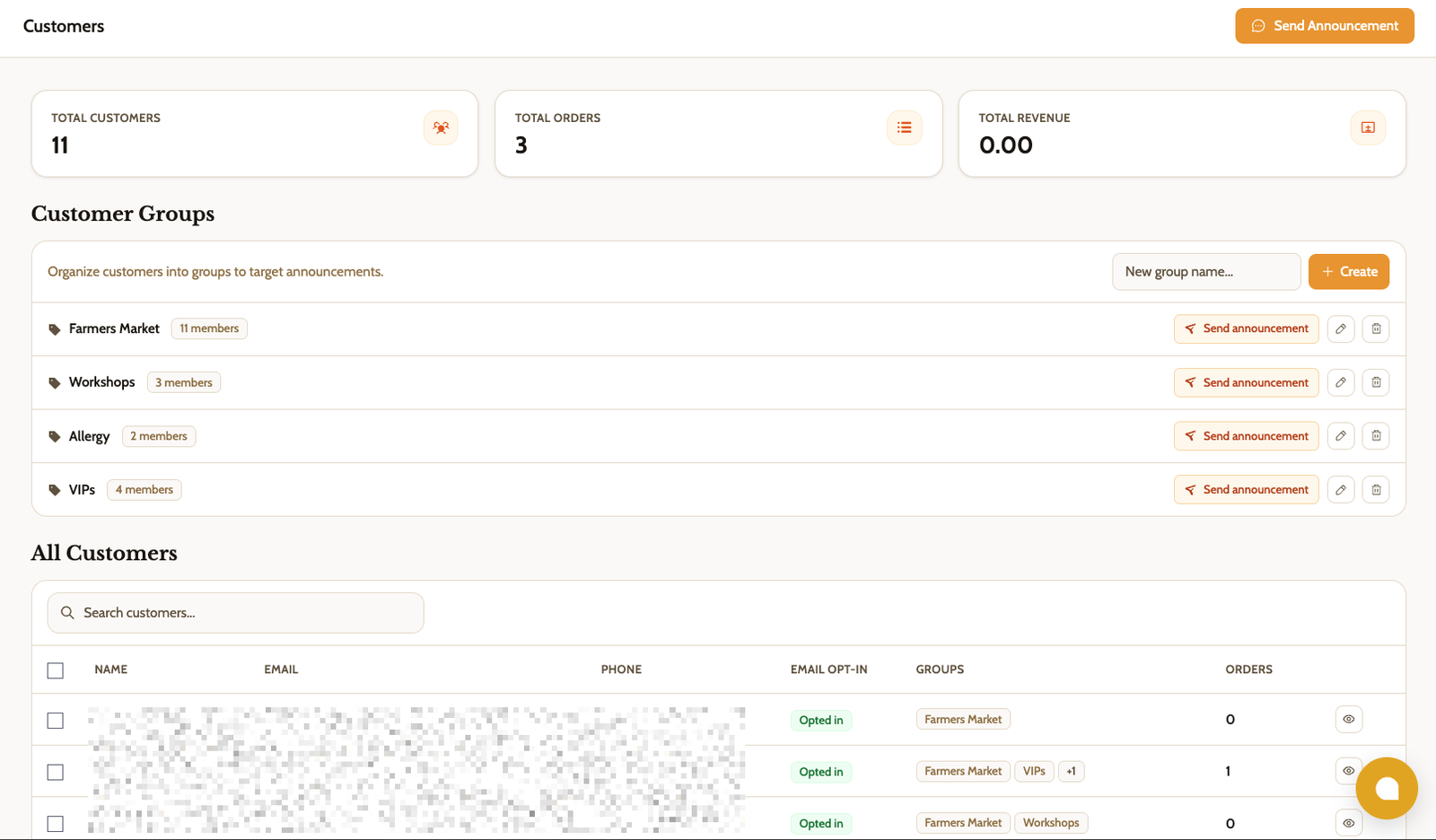
Sort your customers into named groups, like "Farmers Market" or "Wholesale", and add or remove people in bulk from your customer list. A customer can be in more than one group.
When you write an announcement, tap a group to select everyone in it at once, or use the Send announcement shortcut next to the group.
Find it in Customers
Zelle at checkout
Turn on Zelle, add the email or phone number you receive payments at, and upload your bank's Zelle QR code if you have one. Customers see your details and the QR code right after they order.
Zelle orders stay unpaid until you mark them paid, just like Venmo. You can turn Zelle on or off for each bake day.
Find it in Settings → Payments
Discount codes for workshops
Customers can now enter a discount code when they register for a workshop. Each seat uses up one use of the code, and when a code covers the full price, they can register without a card.
Your existing codes still apply only to products. For each new code, choose whether it works on products, workshops, or both.
Find it in Settings → Discounts
Improved
- Gross revenue after discounts. Gross revenue in Payouts now shows what you actually collected, after discounts. Net is unchanged.
Fixed
- Venmo orders shown as card. Bake day order lists and customer pages labeled Venmo orders as card payments. They now show the right payment method.
- Checkout without Stripe. Checkout didn't finish loading for shops that took Venmo but hadn't connected Stripe. Fixed, no action needed.